Keh0t0/molmo-augment — place 증강 데이터 검토
TL;DR
- 포맷은 완벽 호환 — h5 필드·action 규약·카메라 이름이 원본 MolmoBot-Data와 동일. aux로 그대로 물릴 수 있다
- clip은 물체를 이미 쥔 상태에서 시작(preplace→place→retreat, 원본의 32%만 보존). 검증: 첫 프레임 wrist에 머그가 물려 있고
grasp held=True, 릴리즈는 클립의 79% 지점 - 좋은 소식: h5
obs_scene에 원본 NextTo 지시문과 referral expression이 그대로 보존돼 있다. 우리 로더는 이걸 읽으므로,augment.json의 거친 재작성 지시문("put it on the countertop")은 자동으로 무시된다 - 용도와 부합: 2-stage(pick→navigation→place)에서 low-level이 물체를 든 채 제어권을 넘겨받는 상태가 곧 이 clip의 시작 분포다. PnP/NextTo 벤치로 평가하면 이 이득이 안 잡힌다 — 벤치가 측정 대상이 아니다
- goal image는 투입 가능:
embed_prefix는 3장을 모두 SigLIP으로 인코딩하고img_mask는 pad mask로만 쓴다.DroidInputs에서 zeros→goal,False_→True_한 줄. 토큰 수도 불변 - 2026-08-31 16:12 업데이트로 지적 2건 반영됨: 지시문이
Place the {obj} on the {support}.로 재작성돼Pick up접두·it대명사가 사라졌고(15,043/15,043),floor오라벨은 442편 → 17편으로 정리됐다 - 단, h5 내부는 그대로다 — 수정은
augment.json/index.json에만 적용됐고clip.h5의obs_scene.task_description은 여전히 "Pick up the white mug and place it next to …". 우리 로더가 읽는 건 h5 쪽이므로 그대로 학습하면 접두가 다시 붙는다
📌 2026-08-31 16:12 업데이트 — 구판/신판 전수 대조
101개 shard 전부가 재업로드됐다(원격 sha256 fdee0d3c… vs 구판 9b12685a…).
구판 shard_0000을 보관해두고 신판과 1:1 대조한 결과는 아래와 같다.
| 항목 | 구판 | 신판 | 판정 |
|---|---|---|---|
| augment.json instruction | Pick up the … and put it on the … | Place the … on the … | 150/150 재작성 |
| support 탐지 실패 | 10편 (body가 None/world) | 0편 | floor 10 → countertop 104로 재분류 |
전체 floor 라벨 | 442편 (2.94%) | 17편 (0.11%) | 대폭 정리 |
| 에피소드 집합 | 150편, 키 완전 동일 | 변화 없음 | |
clip 절단 src_range | 150/150 동일 | 궤적 미변경 | |
goal_frame index / phase | 150/150 동일 (go_home 117 · retreat 33) | goal은 여전히 배치 이후 프레임 | |
| mp4 · h5 · goal png (1,350개) | 크기 전부 동일 | 바이너리 미변경 | |
clip.h5 → obs_scene.task_description | "Pick up the white mug and place it next to the … pot" (동일) | 미수정 — 주의 | |
augment.json/index.json에만 반영됐고, clip.h5의 obs_scene은 그대로다.
우리 로더는 h5 쪽을 읽으므로(dataset.py:506) 지금 상태로 학습을 돌리면 "Pick up" 접두가 다시 붙는다.
place 전용 문형으로 학습하려면 prompt_templates를 place 계열만 남겨 넘기거나(권장, 데이터 수정 불필요),
로더가 augment.json의 instruction을 읽도록 경로를 추가해야 한다.남은 floor 17편은 진짜 바닥이다
구판의 floor는 탐지 실패 폴백이었지만, 신판에 남은 17편은 성격이 다르다. support.z를 대조하면 갈린다:
| 케이스 | label | support.z | body | 판정 |
|---|---|---|---|---|
| ep4 구판 | floor | 0.0 | world | 오라벨 — 실제는 카운터탑 |
| ep4 신판 | countertop | 0.9375 | 실제 countertop 바디 | 정정됨 |
| 남은 floor (house_10169) | floor | 0.0 | world | 진짜 바닥 |
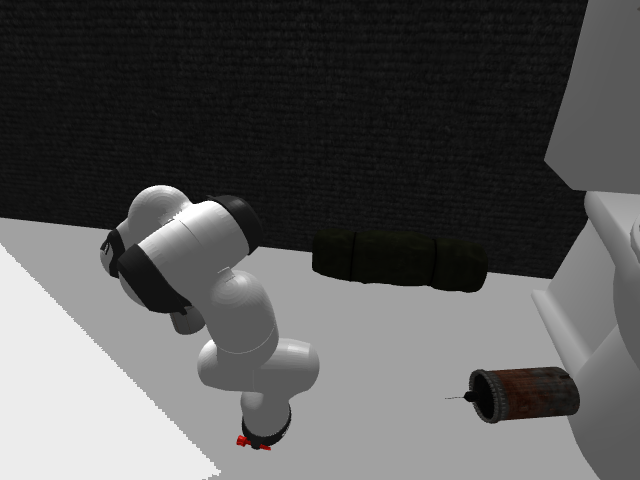
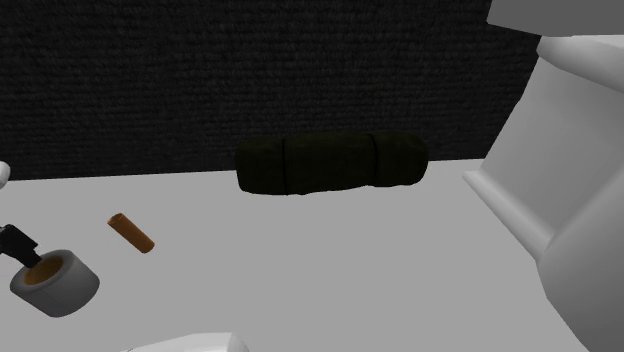
body="world", z=0.0이 정상값이다.
구판 오라벨과 구분되는 지점은 실제 배치 높이 — 이 편은 물체 시작 z가 0.052 m(바닥 높이)이고,
오라벨이었던 ep4는 0.946 m(카운터 높이)였다.
단 17편 중 시각 확인은 1편(+같은 house의 자매편)만 했다.Put the {obj} on the {support}.라고 적혀 있으나 실제 데이터는 Place the …다.1무엇을 만들었나 (검증된 스펙)
| 항목 | 측정값 (shard_0000, 150편) |
|---|---|
| phase_cut | preplace..retreat 150/150 (일관) |
| clip 길이 | 평균 95.4 프레임 (59~145) / 원본 평균 297.2 → 보존율 32.1% |
| support 라벨 | countertop 94, dining table 29, sofa 13, floor 10, dresser 2, bed 2 — 6종뿐 |
| reference object | 제거됨 34/150 (23%), 유지 116 — is_support는 전부 False |
| 증강 ops | rotate 138 · remove 134 · shift 111 · add 46 (편당 평균 2.86, 최대 10) |
| goal 카메라 | 150/150 전부 exo2에서 선택 |
| 전체 지시문(15,043) | 100% Pick up X and put it on Y 형태, wrist 가시성 0인 편 40.9% |
| 고유 house | 4,971개 (편당 3.03편) |
2데이터 예시 — 영상으로 보기
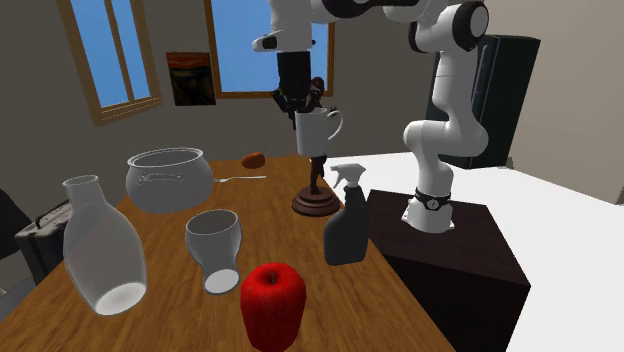
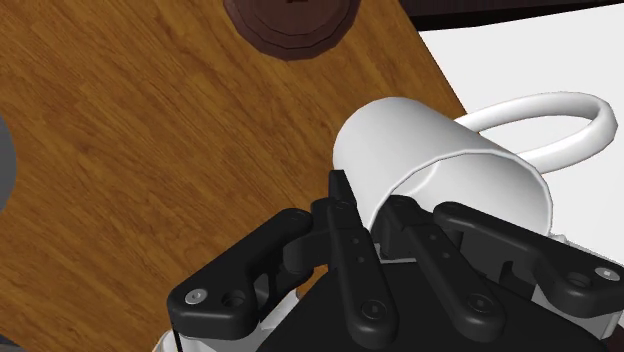
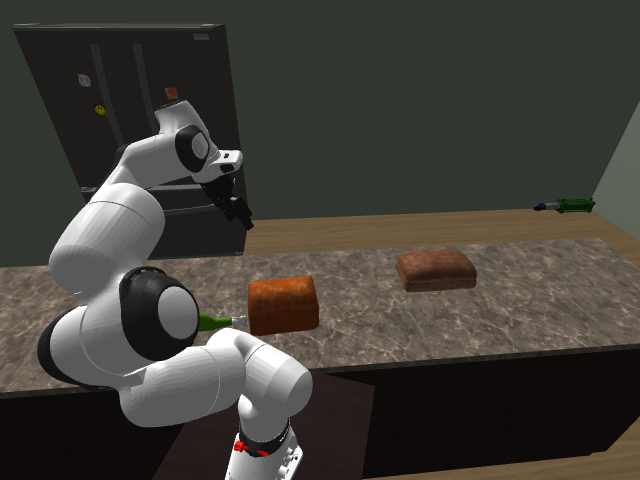
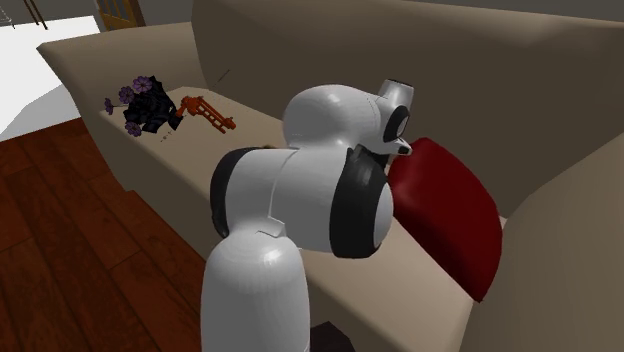
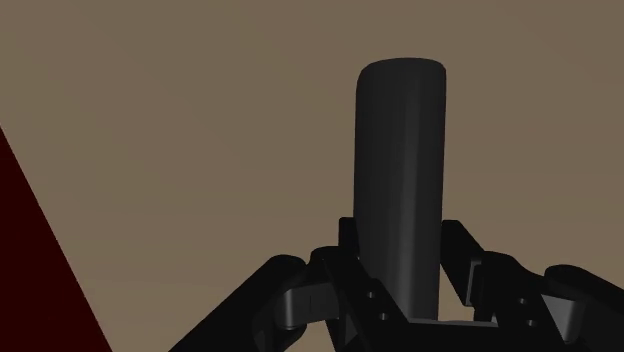
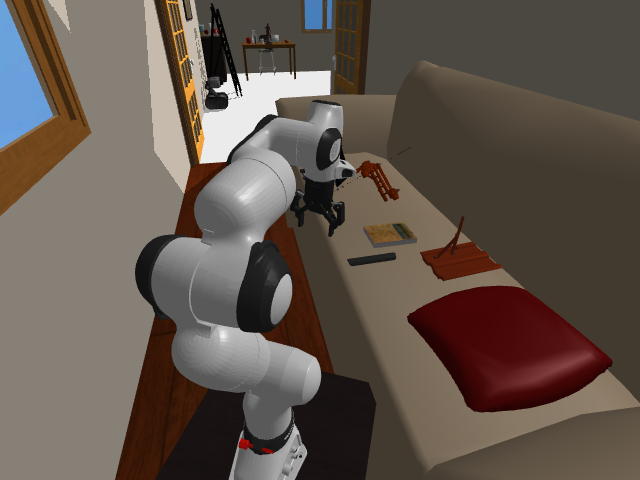
각 편은 물체를 이미 쥔 상태에서 시작해 배치 후 후퇴까지다. 원본 지시문(h5 내부)과 증강이 새로 붙인 지시문(augment.json)을 나란히 둔다.
① 머그 → 다이닝 테이블
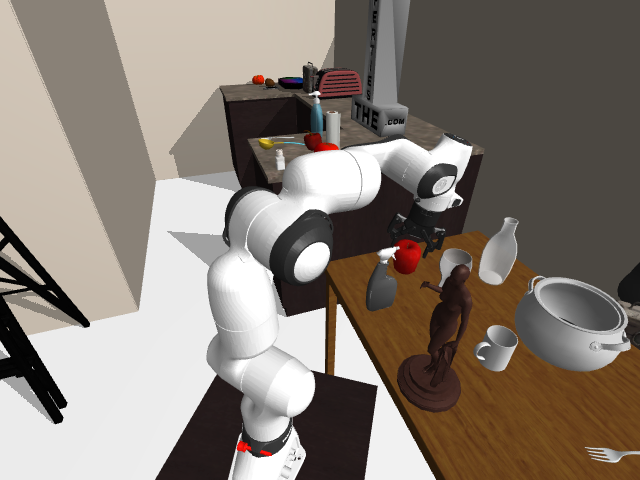
② 스프레이 → 카운터탑
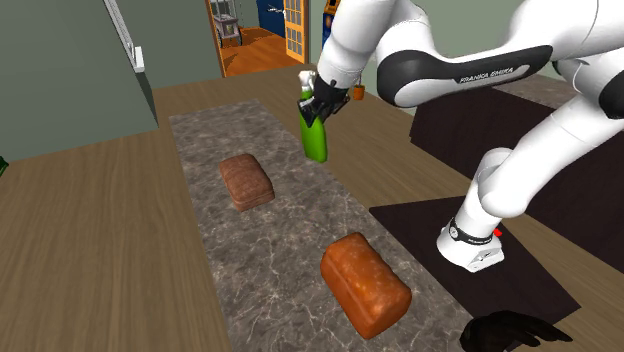
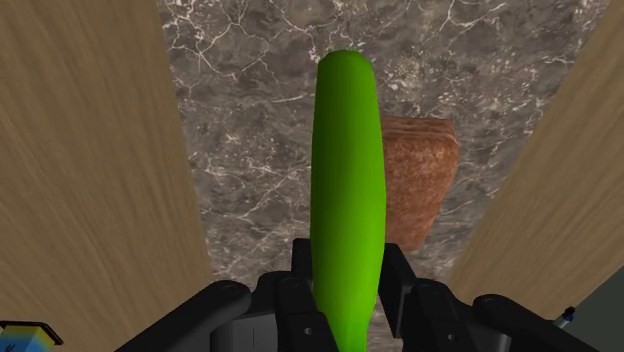
③ 리모컨 → 소파
④ 뒤집개 → 카운터탑 (구판 floor 오라벨이 정정된 편)
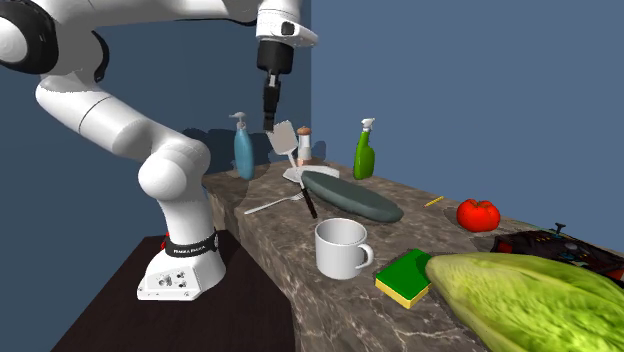
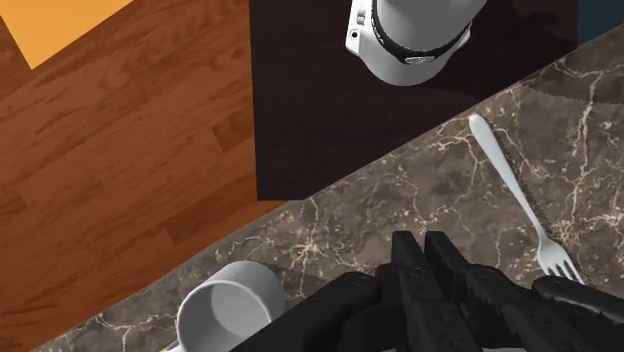
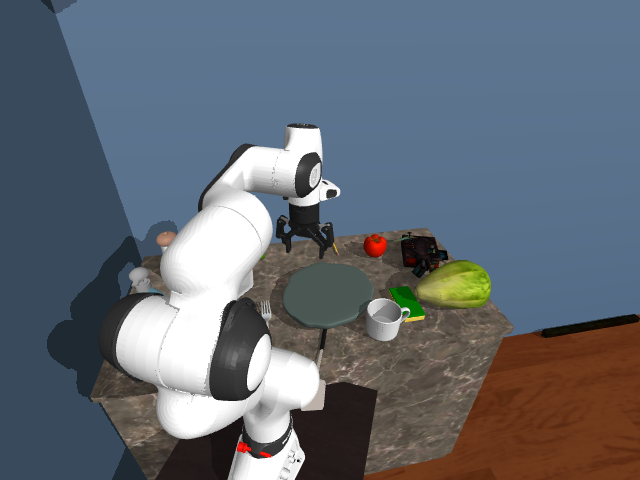
augment.json을 열어보면 support = {"body": "world", "z": 0.0, "label": "floor"} — 지지면 탐지가 실패했을 때 전역 원점으로 폴백하면서 z=0이라 "floor"가 붙었다. shard 2개(300편)로 검증하니 floor 14편이 100% 탐지 실패였고, 나머지 라벨(countertop 181·dining table 68·sofa 21·bed 7·kitchen cabinet 4·dresser 3·chest of drawers 2)은 실패 0건이다. 즉 label=="floor" ⟺ body ∈ {None, "world"}가 정확히 일치한다. 전체 15,043편 중 442편(2.94%).⑤ 두루마리 → 욕실 바닥 (신판에 남은 floor 17편 — 오라벨이 아니라 진짜 바닥)
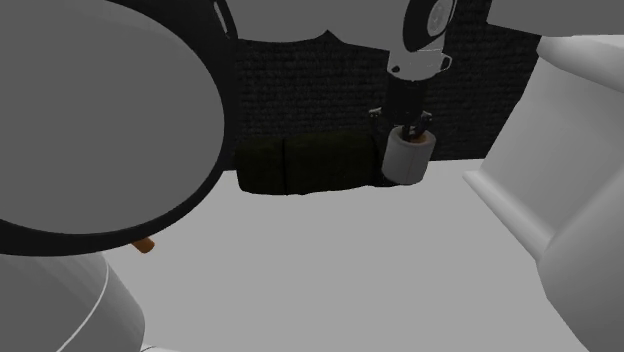
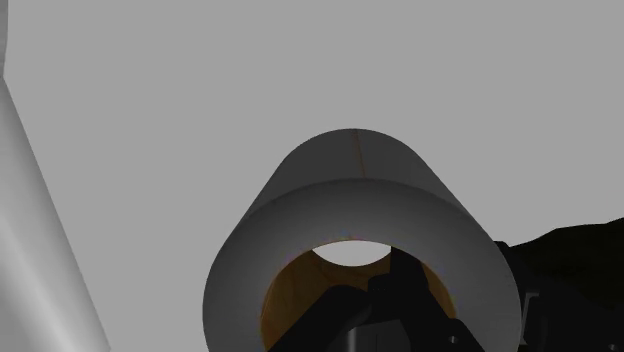
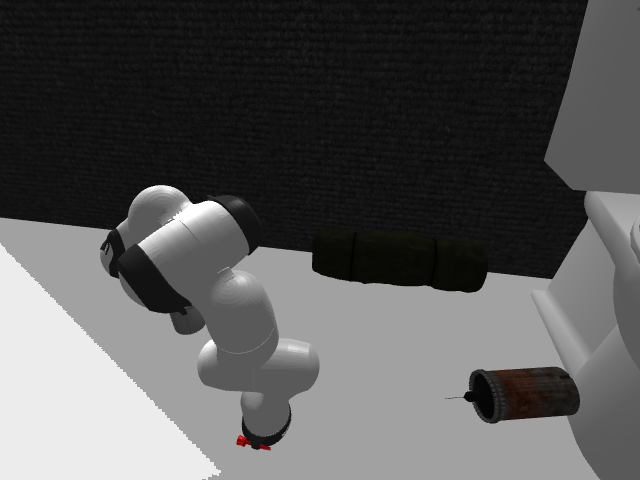
support.z = 0.0, body = "world"가 정상값이다 —
procthor 씬의 바닥은 rigid body가 아니라 정적 world 지오메트리이기 때문. 물체 시작 높이도 0.052 m로 바닥 수준이다.
구판 ④번의 오라벨(z=0.0인데 실제는 0.946 m 카운터탑)과 구분되는 지점이 바로 이 높이다.3검증 — 무엇을 직접 확인했나
commanded_action.gripper = 255(닫힘), grasp_state_pickup_obj.held = True,
qpos.gripper ≈ 0.756. t=66에 그리퍼가 0으로 열리며 릴리즈(클립의 79% 지점), 이후 phase 8(retreat)로 후퇴.
첫 프레임 wrist 영상에도 머그가 물려 있는 게 그대로 보인다.actions/joint_pos_rel는 {arm:[7]} 델타, commanded_action.gripper는 {0,255} 이진,
obs/agent/qpos는 {arm:[7], gripper:[2]}. 5개 카메라 이름도 원본과 같다
(randomized_zed2_analogue_1/2, wrist_camera_zed_mini, …).
→ 우리 --data.exo-camera / --data.wrist-camera 설정 그대로 물린다.obs_scene에 task_type="pick_and_place_next_to",
원본 task_description("place it next to the dark gray rounded cast iron pot"),
가중치 붙은 referral_expressions가 모두 보존돼 있다.
우리 로더(dataset.py:506-531)는 바로 이 필드를 읽어 referral expression을 샘플링하므로,
augment.json의 거친 재작성 지시문은 학습에 들어가지 않는다.randomized_zed2_analogue_1은 이름 그대로 에피소드마다 카메라 포즈가 랜덤화되는 뷰다.
원본 FrankaPickAndPlaceNextToOmniCamConfig/part2에서 뽑은 아래 프레임들도 똑같이
테이블이 화면을 가득 채우거나 로봇 베이스가 잘려 나간다. 해상도도 624×352로 증강본과 동일하다.
(증강본은 전량 part0에서 파생됐고 우리가 받아둔 건 part2라 동일 편 대조는 불가 —
대신 같은 config·같은 카메라로 비교했다. 덧붙여 기존 aux로 쓰던 part2와 소스 part가 달라 편 중복은 없다.)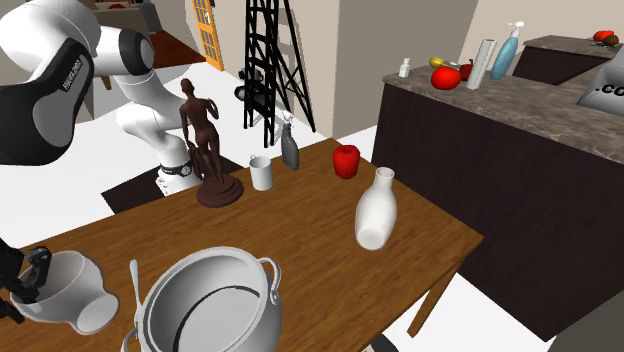
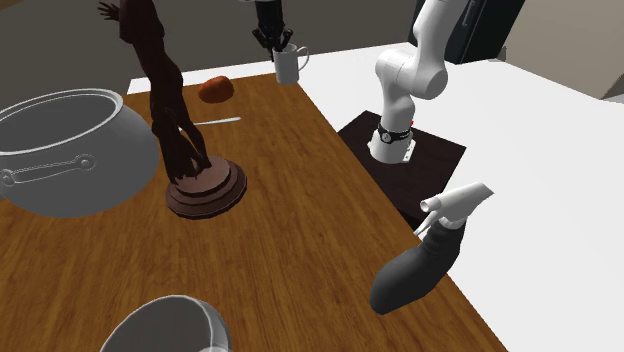
exo_camera_1/2·wrist_camera인데, 관측 영상은 624×352
randomized_zed2_analogue_*·wrist_camera_zed_mini다. 해상도도 카메라 이름도 다르고,
마지막 관측 프레임과 goal 이미지를 나란히 놓으면 시점이 서로 다르다. 나중에 goal 조건화를 붙일 때
cross-view 대응 부담이 추가된다.4지시문 뜯어보기 — 왜 전부 "put"이고 "Pick up"이 붙어 있나
이 데이터에는 지시문이 두 벌 들어 있다. 출처가 다르고, 어느 쪽을 쓰느냐가 학습 성격을 바꾼다.
| 출처 | 형태 | 전체 15,043편 기준 | 우리 로더가 읽나 |
|---|---|---|---|
clip.h5 → obs_scene.task_description원본 NextTo 그대로 |
Pick up the white mug and place it next to the dark gray rounded cast iron pot | referral_expressions까지 보존 | 읽는다 (dataset.py:506) |
augment.json / index.json → instruction증강이 새로 생성 |
Place the plain white ceramic mug with handle on the dining table. (08-31 개정) |
15,043/15,043이 Place로 시작Pick up 0편 · it 0편 | 읽지 않는다 |
augment.json의 instruction은 150/150 전부 재작성됐지만
(Pick up the … and put it on the dining table. → Place the … on the dining table.),
clip.h5의 obs_scene.task_description은 양쪽 모두 "Pick up the white mug and place it next to the … pot"으로 동일하다.
우리 로더(dataset.py:506)가 읽는 건 h5 쪽이므로, 지금 그대로 학습하면 "Pick up" 접두가 다시 붙는다.
해결은 둘 중 하나 — ⓐ 아래 prompt_templates로 place 계열 문형만 쓰거나,
ⓑ 로더가 augment.json의 instruction을 읽도록 경로를 추가하거나.place it next to인데 증강본은 전부 put it on으로 바뀌었다(place it 0편).
평가 벤치 문형은 PnP가 place it in or on the <그릇>, NextTo가 place it next to the <참조물>이라
증강본 문형은 어느 쪽과도 다르다. 다만 2-stage 배포에서는 벤치 문형을 맞출 이유가 없으니
실제 배포 프롬프트와 일치시키는 것이 기준이 되어야 한다.floor 오라벨은 08-31 업데이트로 정리됐다.
구판 shard_0000의 floor 10편(전부 body ∈ {None,"world"} 탐지 실패)이 신판에서
전량 countertop으로 재분류됐고(94 → 104), 탐지 실패는 10 → 0이 됐다.
위 4번 예시의 실제 배치면이 돌 카운터탑이었다는 관찰과 일치한다.
전체로는 floor가 442편(2.94%) → 17편(0.11%). 남은 17편이 진짜 바닥인지 잔여 실패인지는 미확인."Pick up" 접두 제거 — 데이터를 고칠 필요가 없다
molmobot_pi0/prompt_templates.py에 이미 pick_and_place_next_to용 템플릿 10개 그룹이 있고,
그중 집기 접두가 없고 물체 이름을 쓰는 형태가 그대로 들어 있다:
dataset.py:_get_task()가 referral_expressions에서 표현을 샘플링해
prompt_template.format(**sampled_referral_exps)로 문장을 만든다. 그리고
randomize_prompts = (prompt_templates is not None)(dataset_openpi.py:215)이므로,
place 계열 그룹만 남긴 prompt_templates를 넘기면 그걸로 끝난다 — h5도 tar도 건드릴 필요가 없다.
prompt_templates는 dict[str, list[list[str]]]라
tyro CLI로 넘기면 이 프로젝트에서 이미 한 번 크게 데인 dict 파싱 함정(플래그 반복 시 마지막 항목만 남음)에 걸린다.
CLI 대신 config 정의부에서 직접 지정할 것.goal image를 3번째 슬롯에 넣는 방법
토큰 수가 변하지 않으므로 시퀀스 길이·메모리 영향이 없다. 3번째 슬롯은 사전학습 내내 pad 처리돼 학습된 prior가 없을 뿐 충돌하는 prior도 없다. SigLIP 인코더는 슬롯 공유라 goal image의 특징 자체는 이미 의미 있게 뽑힌다. 권장은 goal dropout(배치의 일부는 다시 마스크 아웃)으로, goal이 없어도 동작하는 모델을 유지하는 것.
5그래서 뭘 하면 되나
- 가장 싼 결정적 실험 (권장) — 이 데이터를 aux 가중치 0.1로 얹어 10k step만 학습하고 PnP·NextTo를 평가한다. 비교 기준은 이미 있다: mix v2 @10k = Pick 21.0 / PnP 37.0 / NextTo 14.0. 비용은 학습 약 6시간 + eval 2잡. 이게 추측을 끝낸다.
- 지시문은 건드리지 말 것 — h5의 원본 NextTo 지시문이 이미 살아 있고 로더가 그걸 읽는다.
augment.json의 support 기반 지시문("put it on the floor")을 굳이 끌어다 쓰면 타깃이 6종으로 뭉개지고 벤치 문형("place it in or on the <그릇>" / "place it next to the <참조물>")과도 어긋난다. - goal image를 살리려면 별도 트랙으로 — 3번째 이미지 슬롯의 마스크를 켜고 goal을 넣는 변형. 사전학습 가중치가 적응해야 하므로 A/B는 반드시 같은 step 수로. 이건 데이터 문제가 아니라 모델 입력 설계 변경이다.
- 규모를 늘릴 여지 — Pick이 772k편으로 효과를 봤던 전례를 보면, place 증강도 15k로는 부족할 수 있다.
같은 파이프라인으로
FrankaPickAndPlaceOmniCamConfig(main, 221k편) 쪽 place 구간까지 뽑으면 규모가 한 자릿수 올라간다.